Deployment (Envoyer)
- 1. Create New Project
- 2. Add Server
- 3. Add Public Key to Server
- 4. Refresh Connection Status
- 5. Set Document Root
- 6. Development Hooks
- 7. Linked Folders
Laravel Envoyer is a zero downtime deployment service for PHP. In ETC, we are using Envoyer as the main deployment tool which allow us to deploy the projects from Gitlab into the desired server.
Official Documentation Link: https://docs.envoyer.io
1. Create New Project
- Request Gavin to create a new project on Envoyer and invite to join as collaborators
2. Add Server
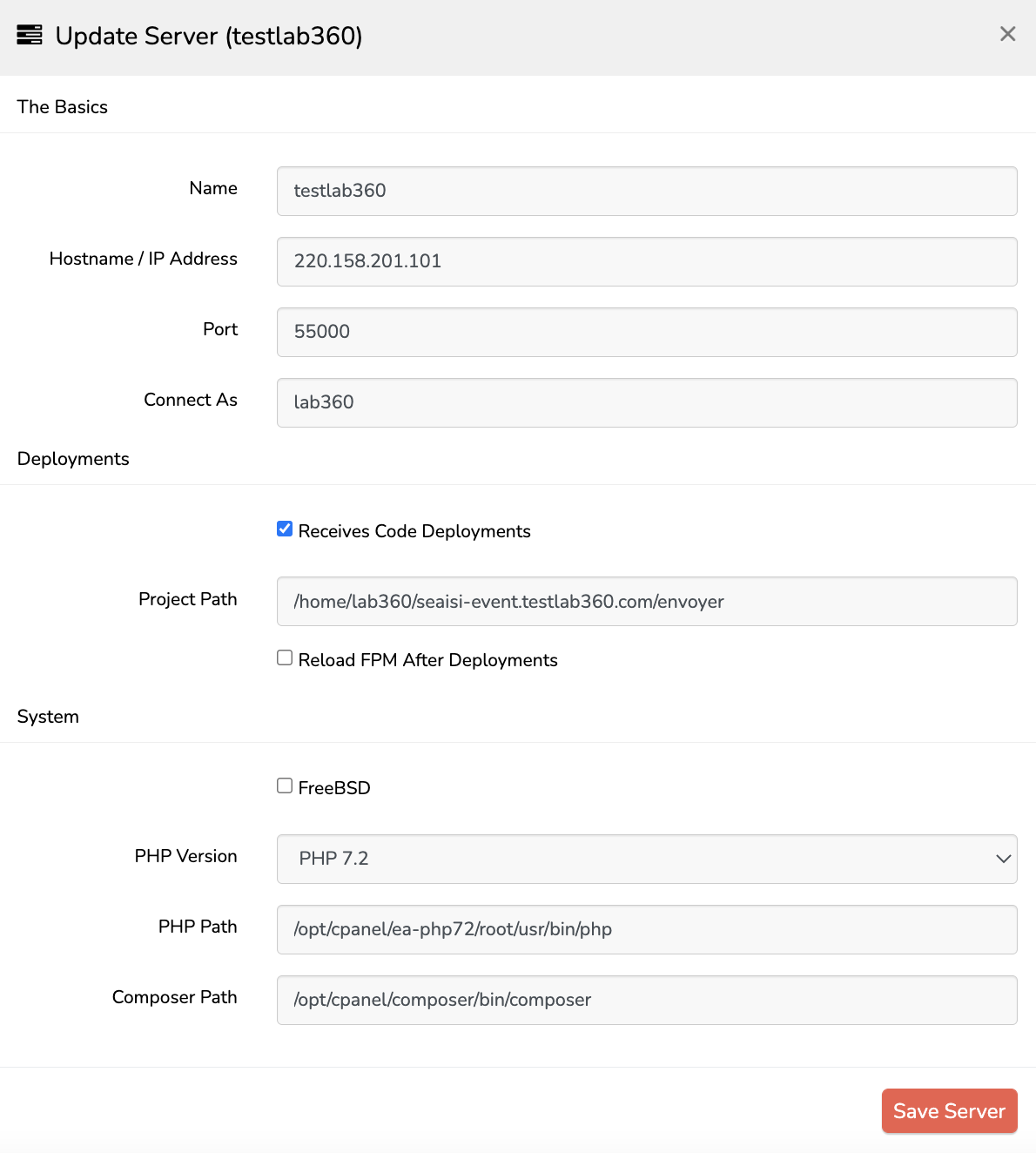
- To add Server under Envoyer > Project -> Server -> Add Server
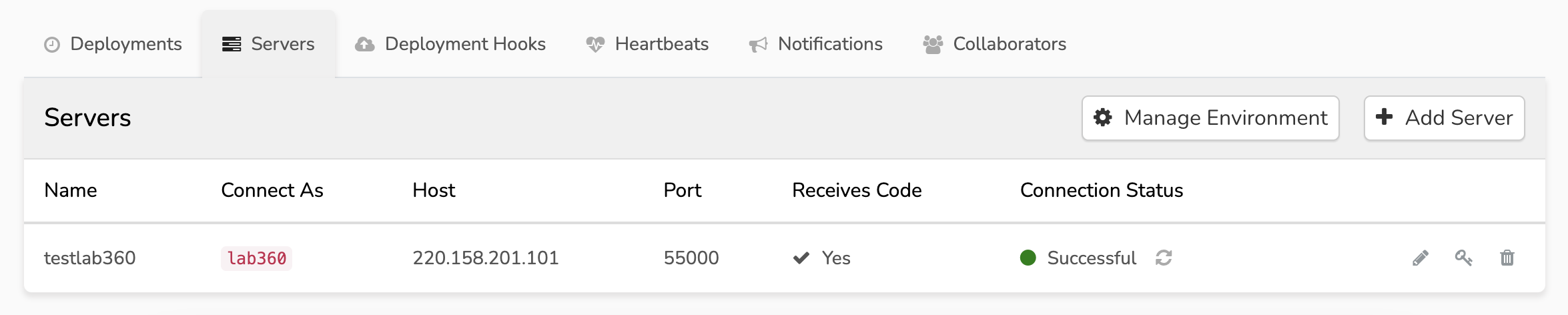
- Refer below reference for testlab360 server
- For live server you may check on the server details for the IP Address, Port and SSH username
3. Add Public Key to Server
-
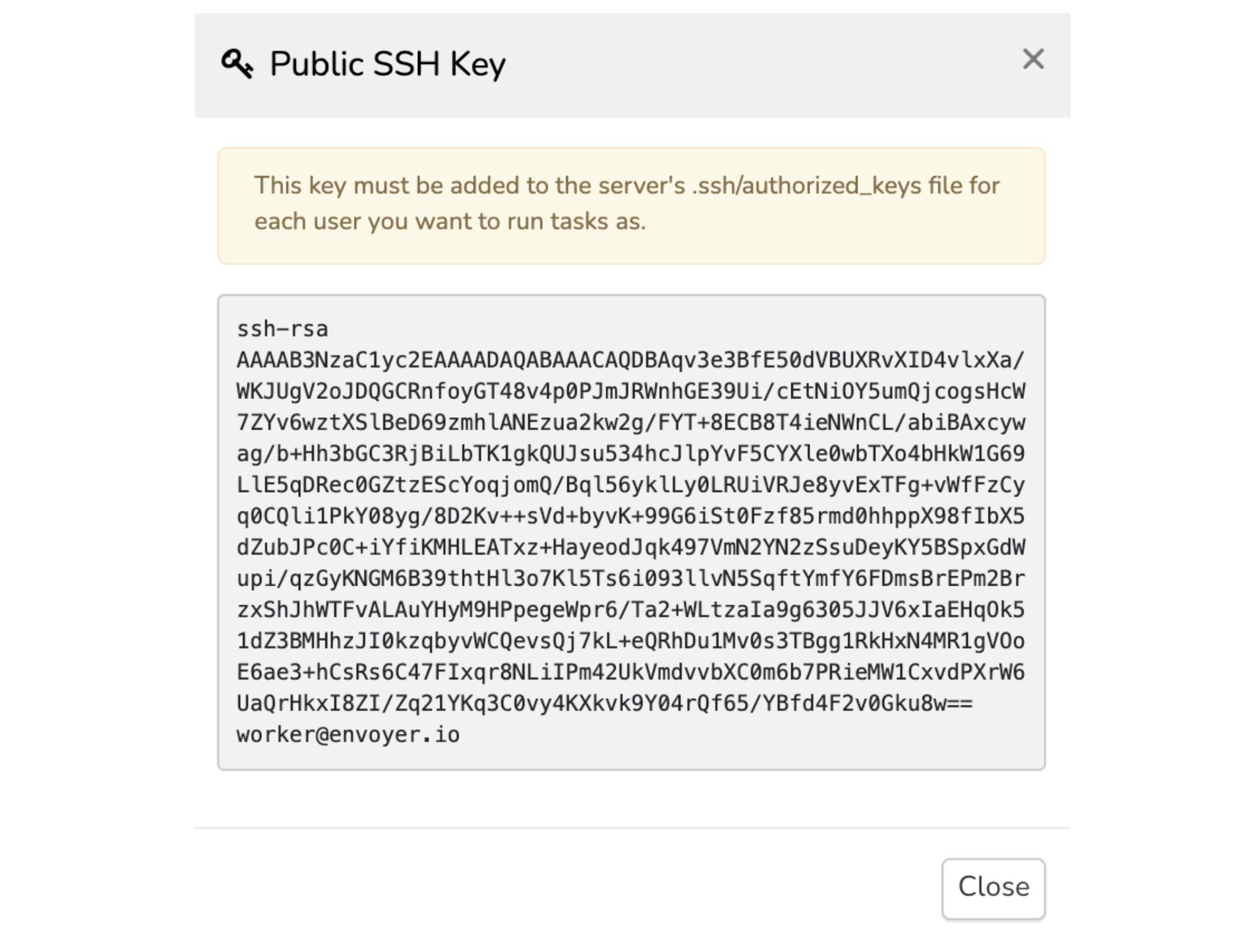
Once you have added the server, click on the key icon to retrive the public key

-
Copy the key and add to the server (cPanel) (SSH Terminal)
Via cPanel
-
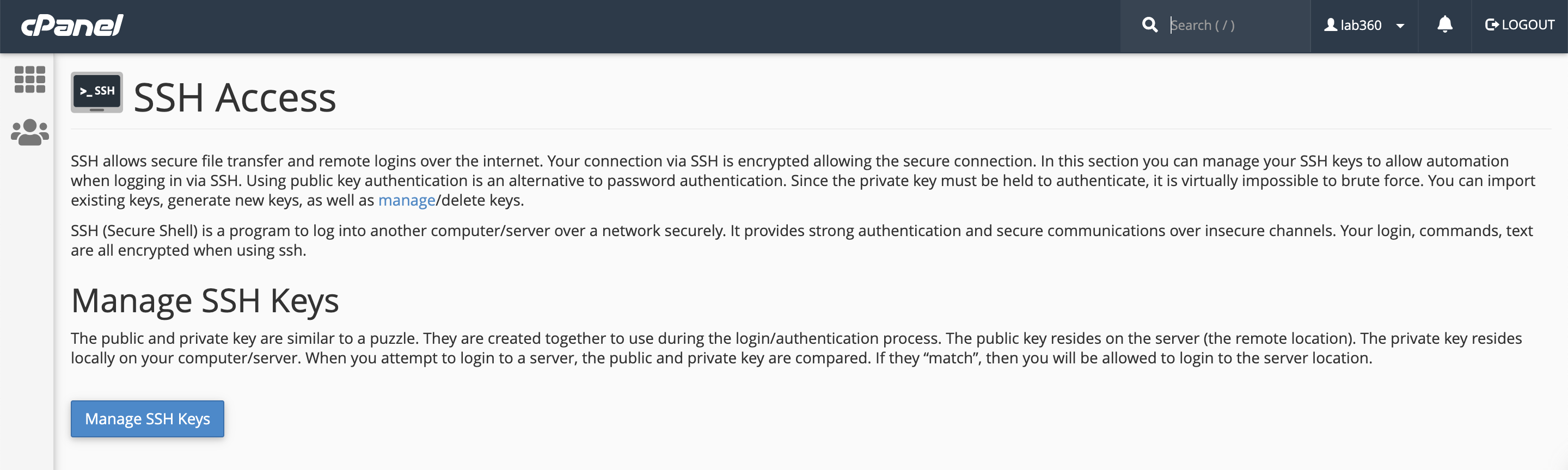
Search for SSH Access under Security
-
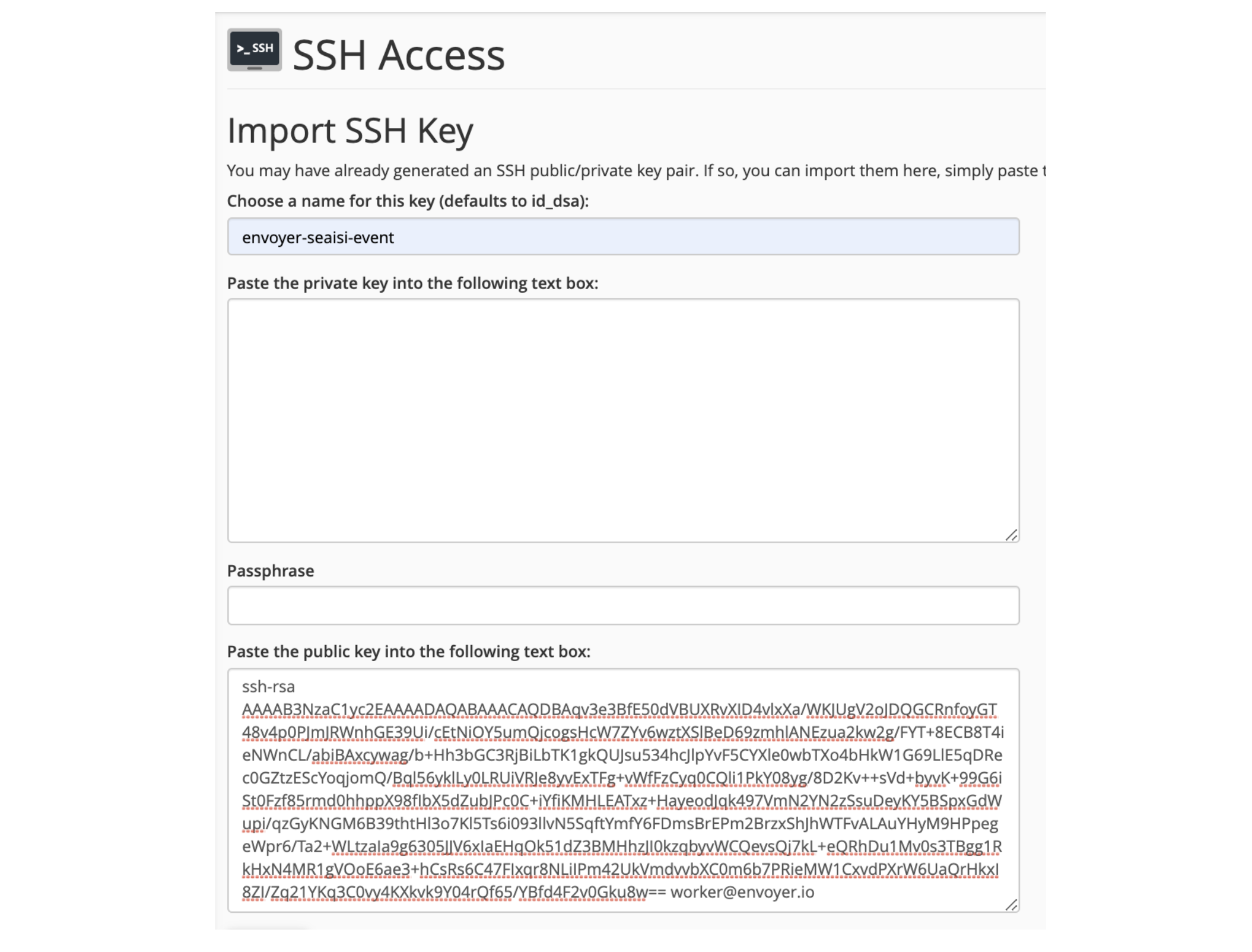
Security > SSH Access > Manage SSH Keys > Import Key
-
Set a name for the key and paste the Public key
-
Leave blank on Private key and Passphrase
-
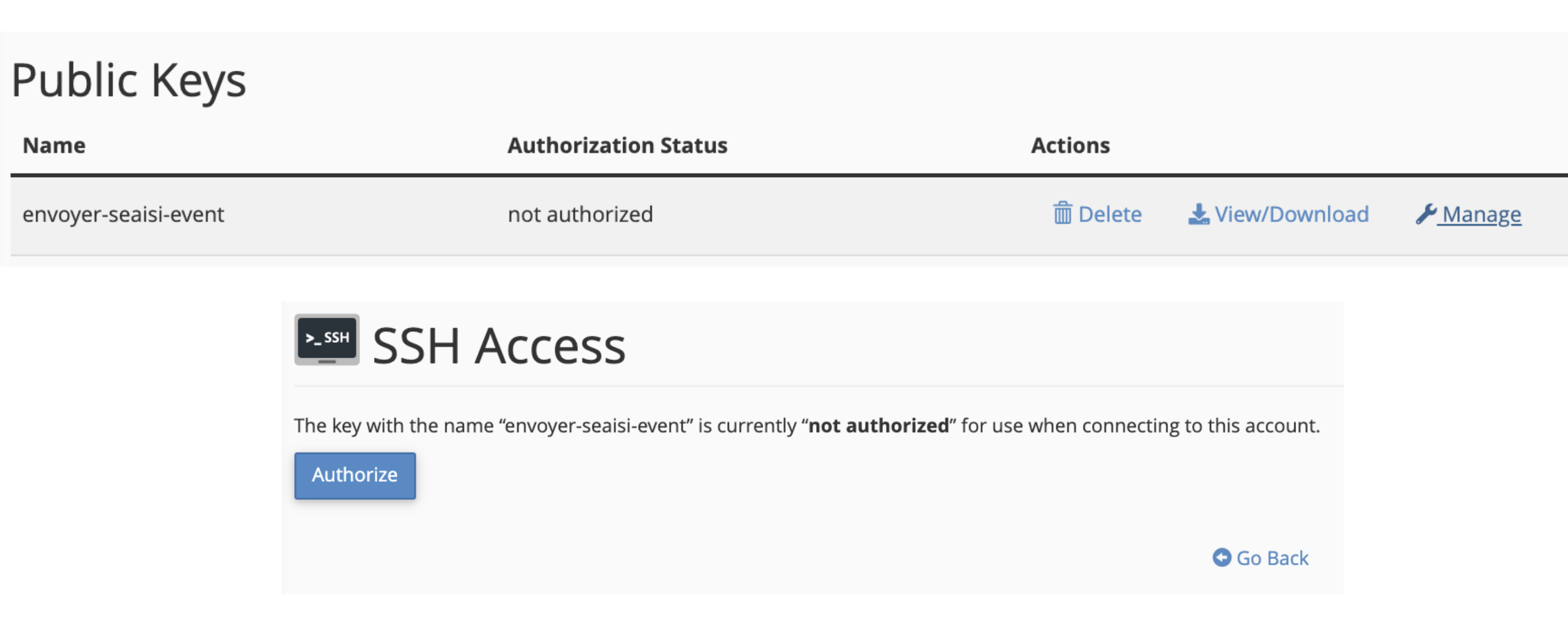
Authorize the key
Via SSH Terminal
- Paste the public key into a file, named it as envoyer.pub and upload to server
- Add the public key with below command
cat envoyer.pub >> ~/.ssh/authorized_keys4. Refresh Connection Status
- Connection Status will turn into Sucessful
5. Set Document Root
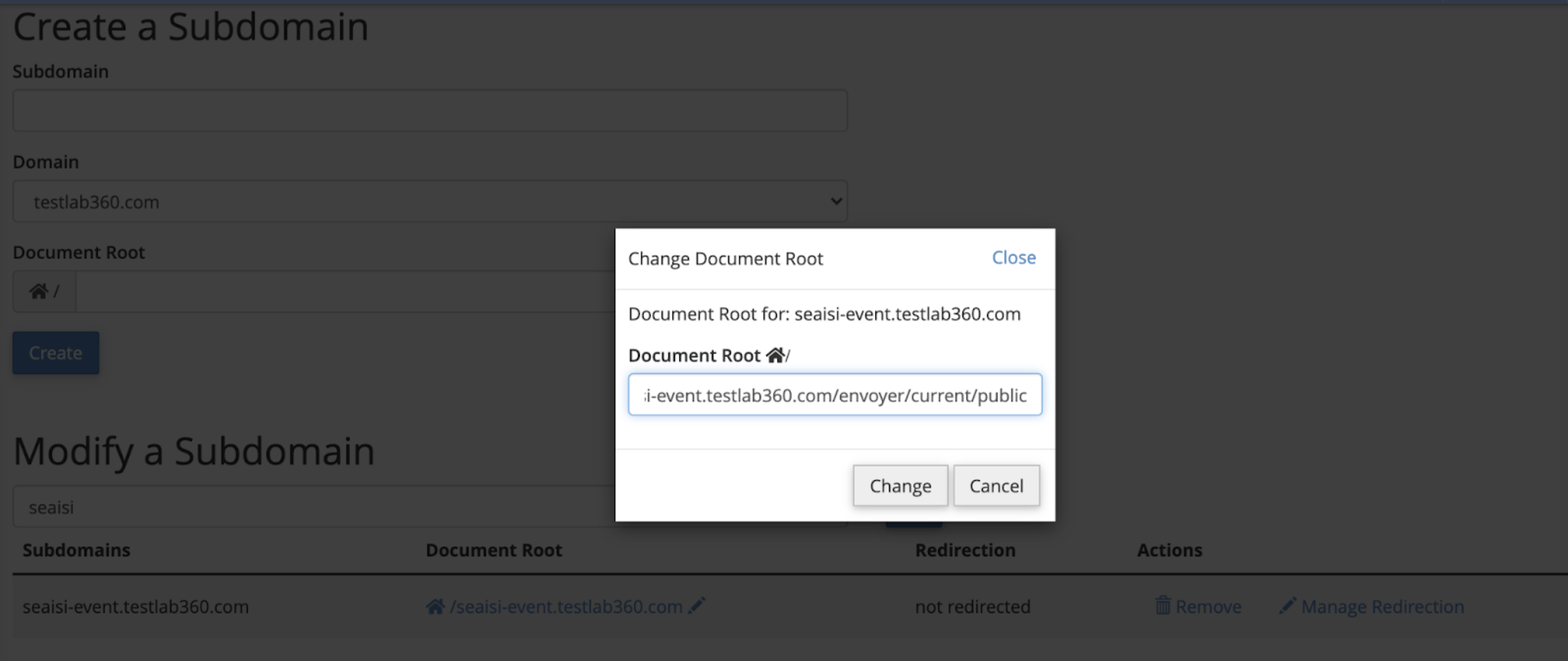
To point the document root as envoyer/current/public
For Main Domain
- Create a symbolic link as
public_htmlpointing toenvoyer/current/public
ln -s /home/userfolder/envoyer/current/public /home/userfolder/public_htmlFor Subdomain (cPanel)
- Set the path from Domains > Subdomains > Modify a Subdomain > Edit Document Root
6. Development Hooks
- To set commands to run on every deployment
- For Hook Variables, refer to Envoyer Documentation
cd {{release}}
{{php}} artisan migrate --force
{{php}} artisan cache:clear
{{php}} {{composer}} dump-autoload
{{php}} artisan queue:restart
{{php}} artisan storage:link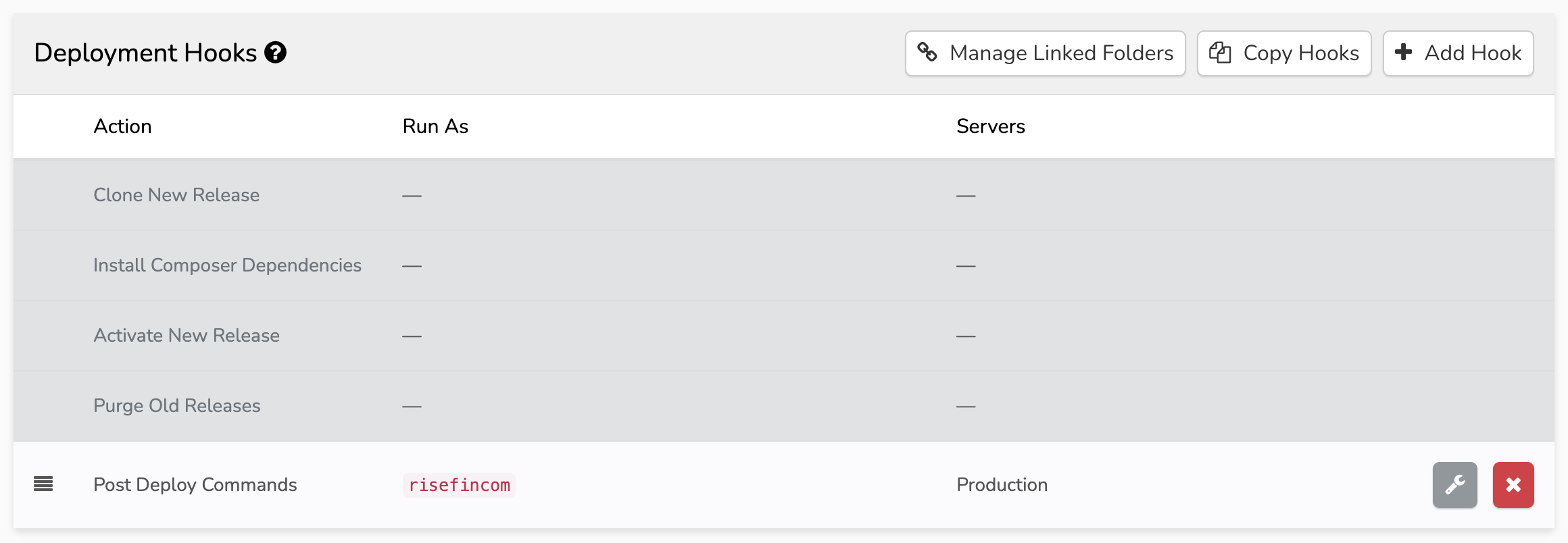
7. Linked Folders
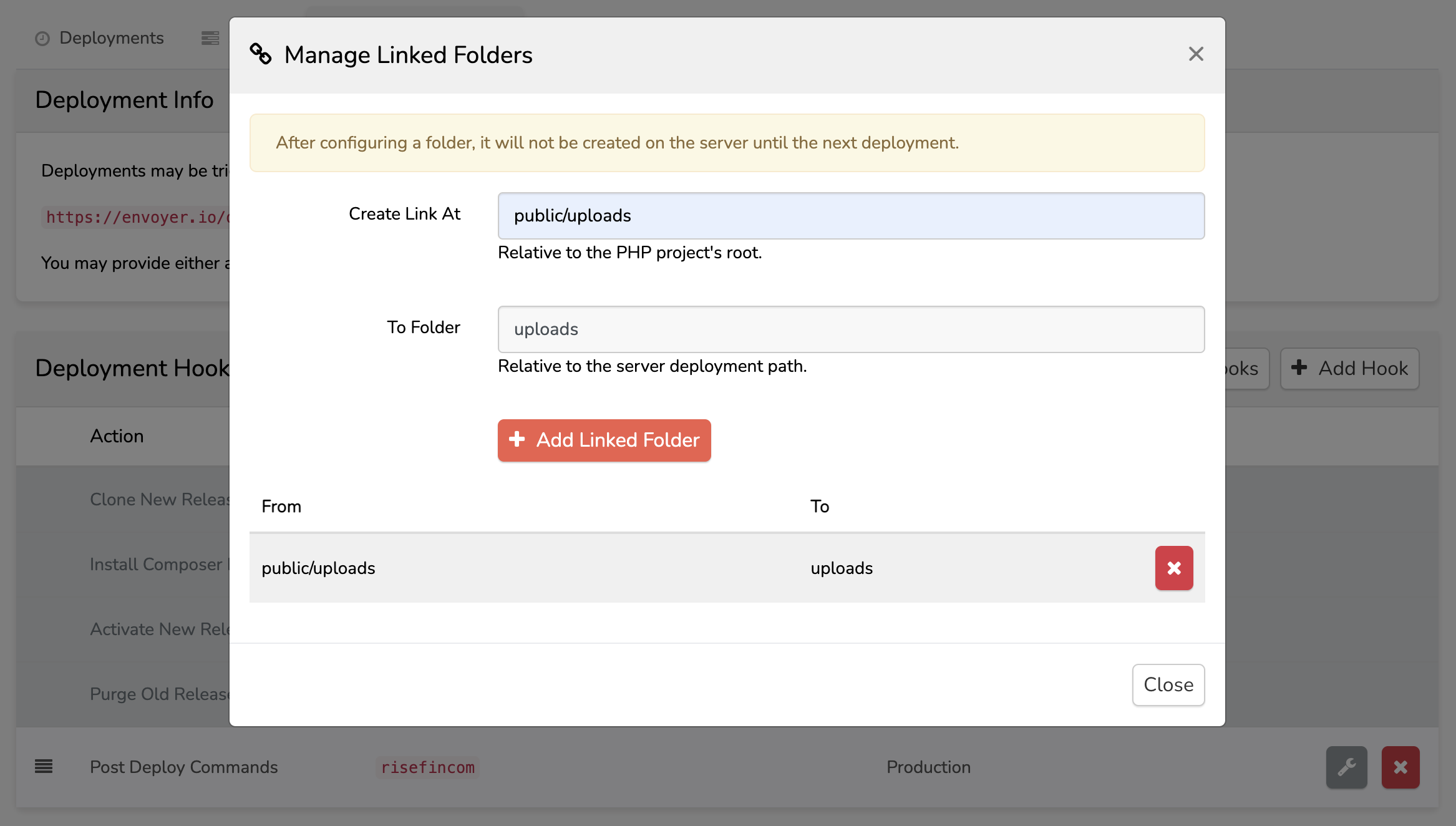
- For folders that should be shared across every deployment and should not be replaced.
- Some common case eg. Having
uploadsfolder in/public/uploadswhich uploaded files are being stored and should not be replaced during deployment